

Can You Use a Credit Card on a Vending Machine? Everything You Need to Know
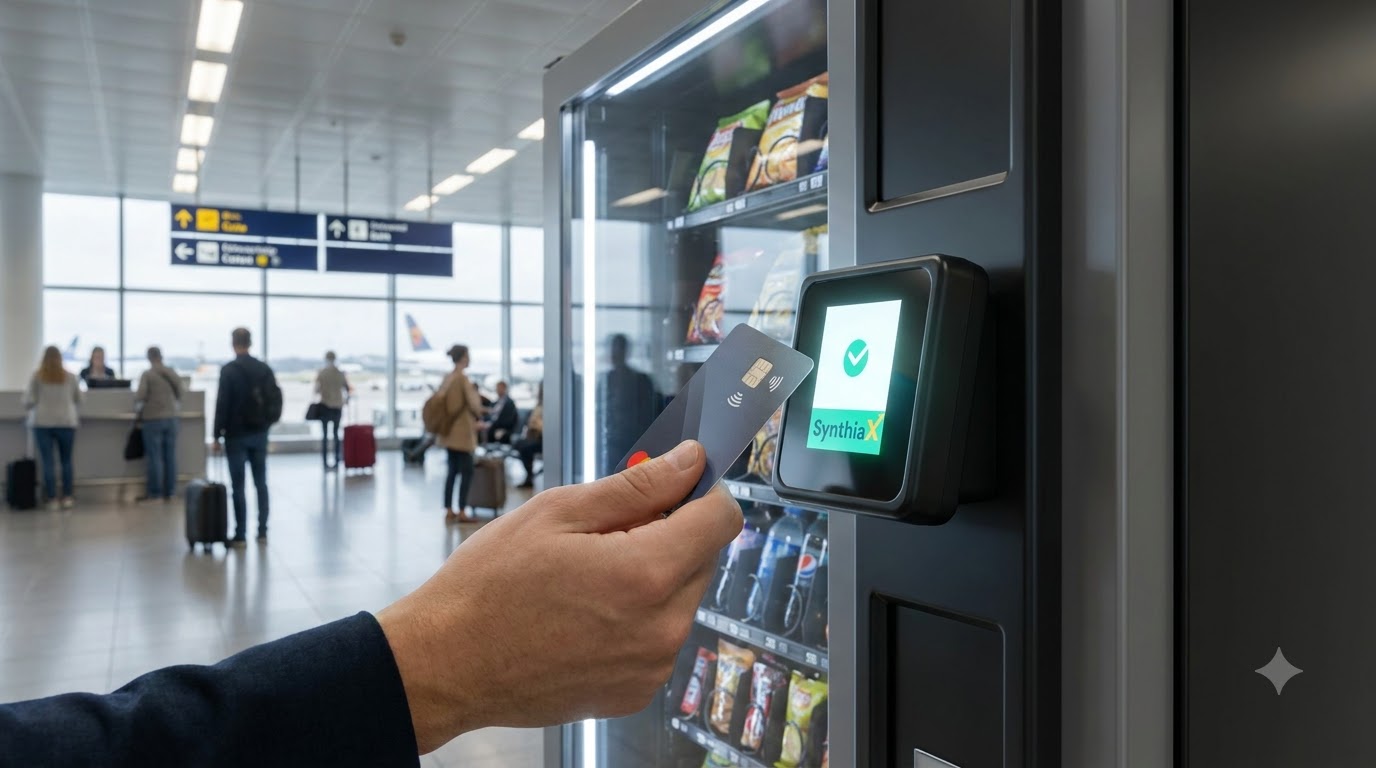
Quick Answer: Yes, you can definitely use a credit card on a vending machine. Most modern automated retail units come equipped with secure cashless card readers that accept tap-to-pay, chip inserts, and mobile wallets like Apple Pay and Google Pay alongside standard magnetic swipe transactions.
Standing in front of a snack dispenser without cash used to mean walking away empty-handed. Today, automated retail has undergone a massive digital transformation. Finding out whether you can swipe a credit card on a vending machine is one of the most common questions consumers ask when looking for a quick snack, beverage, or personal care item on the go.
Consumer habits have shifted rapidly away from paper bills and loose change. Because people rarely carry exact change anymore, machine operators have retrofitted their units with advanced cashless readers. Whether you visit a hospital waiting room, an airport concourse, a university campus, or an office breakroom, modern kiosks allow you to complete transactions in seconds.
Modern telemetry systems and payment gateways make these electronic purchases as safe and swift as paying at a supermarket register. Innovative platforms like SynthiaX lead this transition, providing end-to-end hardware and cloud-based payment ecosystems that allow operators to modernize older machines and deliver smooth digital transactions.
In this comprehensive guide, you will learn how cashless hardware works, how to use a card reader step by step, the major differences between cash and cashless systems, and answers to common payment questions.
How Card Readers on Vending Machines Work
Before you tap your credit card on a vending machine, it helps to understand the technology operating behind the glass. Modern vending equipment does not just drop snacks; it connects directly to secure banking networks in real time.
+-------------------------------------------------------------------+
|                     HOW CASHLESS VENDING WORKS                     |
+-------------------------------------------------------------------+
| 1. CUSTOMER PAYS                                                  |
|    Tap, Insert, or Swipe card on cashless reader                  |
|                           ↓                                       |
| 2. REAL-TIME AUTHORIZATION                                        |
|    Reader sends encrypted transaction via cellular telemetry      |
|                           ↓                                       |
| 3. BANK VERIFICATION                                              |
|    Payment processor approves temporary pre-authorization hold    |
|                           ↓                                       |
| 4. PRODUCT DISPENSED                                              |
|    Vending controller drops item; final exact price is charged    |
+-------------------------------------------------------------------+
1. The Cashless Reader Interface
The sleek external module mounted next to the bill validator or keypad contains an interactive display screen, a magnetic swipe channel, an EMV chip slot, and an RFID/NFC antenna. This interface greets the buyer, displays prompts, and reads the payment credentials.
2. Telemetry and Cellular Modems
Inside the machine sits a compact telemetry device connected to the vending internal computer controller through the Multi-Drop Bus (MDB) protocol. When you use your credit card on a vending machine, this telemetry unit creates a secure cellular connection over 4G/5G networks to send encrypted payment tokens to the payment processor.
3. Payment Processing Gateways
The processor checks with your issuing bank to confirm that your account is active and holds sufficient funds. Once approved, the processor sends an electronic signal back to the dispenser controller to unlock product selection. Solutions engineered by SynthiaX streamline this process by minimizing authorization latency, ensuring that your card communicates with the bank in under two seconds.
4. Supported Payment Methods
When you pay with a credit card on a vending machine, the terminal typically supports multiple card types and technologies:
- Near Field Communication (NFC) / Contactless: Tap-to-pay credit and debit cards, as well as smart devices using Apple Pay, Google Wallet, and Samsung Pay.
- EMV Chip Cards: Inserting the metal chip into the bottom slot for dynamic encrypted authentication.
- Magnetic Stripe: Swiping the card down the side channel on legacy readers.
- Prepaid and Campus Cards: Closed-loop transit or student cards in designated institutional settings.
How to Use a Card Reader on a Vending Machine
Using a credit card on a vending machine is straightforward, but different models follow slightly different order-of-operation sequences. Knowing the proper steps ensures your transaction processes smoothly without temporary hold confusion or dropped selections.
+--------------------------------------------------------------------------+
|                 STEP-BY-STEP PAYMENT SEQUENCE                            |
+--------------------------------------------------------------------------+
|  [Step 1]  Check Screen Status ("Swipe/Tap Card to Begin")              |
|                               ↓                                          |
|  [Step 2]  Tap, Insert, or Swipe Your Credit Card                        |
|                               ↓                                          |
|  [Step 3]  Wait for "Card Authorized" / Selection Prompt                 |
|                               ↓                                          |
|  [Step 4]  Type Your Product Code on the Keypad                          |
|                               ↓                                          |
|  [Step 5]  Collect Item and Check for Multi-Vend / Complete Prompts      |
+--------------------------------------------------------------------------+
Step 1: Check the Display Screen
Look at the digital screen on the card reader. It should display a welcome prompt such as “Ready,” “Swipe/Tap Card,” or show the baseline vend price. If the screen displays “Out of Order” or “Offline,” the cellular modem may lack signal, and you cannot use a credit card on a vending machine in that state.
Step 2: Present Your Card
Choose your preferred payment method:
- To Tap: Hold your contactless card or smartphone within one inch of the universal contactless symbol on the reader face until the device beeps or lights up green.
- To Insert: Slide your card chip-first into the bottom slot, leaving it inserted until the screen prompts you to remove it.
- To Swipe: Run the magnetic stripe smoothly through the vertical or horizontal slot with the stripe facing the designated direction.
Step 3: Wait for Authorization
The reader screen will read “Authorizing” or “Approved.” During this instant, the banking network approves a temporary pre-authorization balance (commonly set between $5.00 and $10.00). This temporary hold ensures that you can complete single or multi-vend purchases without authorizing every single item individually.
Step 4: Enter Your Product Code
Once the reader authorizes your card, the machine screen prompts you to “Make Selection.” Type the letter-number combination corresponding to your chosen snack or drink (for example, B4 or 102). The internal coils will rotate, and your item will drop into the collection bin.
Step 5: Complete the Transaction or Multi-Vend
Many modern units allow you to buy more than one item on a single card tap. If you want a second item, enter the next code immediately. When finished, press the red “Cancel” or “End” button on the reader, or simply walk away. The system will automatically close your session after 15 to 30 seconds and bill your card account solely for the actual retail price of the dispensed items.
Best Practices and Troubleshooting When Swiping Your Card
While using a credit card on a vending machine is generally seamless, minor errors can occur. Following simple precautions keeps your transactions secure and hassle-free:
- Beware of Pre-Authorization Amounts on Banking Apps: When you check your online banking app immediately after purchasing a $2.00 drink, you might see a pending charge for $5.00, $7.00, or $10.00. Do not panic. The processor places this temporary authorization hold to cover multi-vend capabilities. The charge reconciles to the exact purchase price once the batch settles overnight.
- Watch for Physical Tampering: Check the cashless bezel before inserting or tapping your card. If the reader looks loose, damaged, or features irregular plastic attachments, avoid using your card to prevent card skimmers.
- Handle Transaction Timeouts: If you tap your card and spend too much time deciding which snack you want, the machine will time out for security reasons. If the machine cancels your session, simply tap or swipe your credit card on a vending machine again.
- Ensure Sufficient Credit Line: If a card reader declines your card immediately, verify that your bank has not blocked automated vending purchases as a fraud-prevention measure or that your card has not expired.
A Comparison of Using a Card Reader vs Not Using a Card Reader
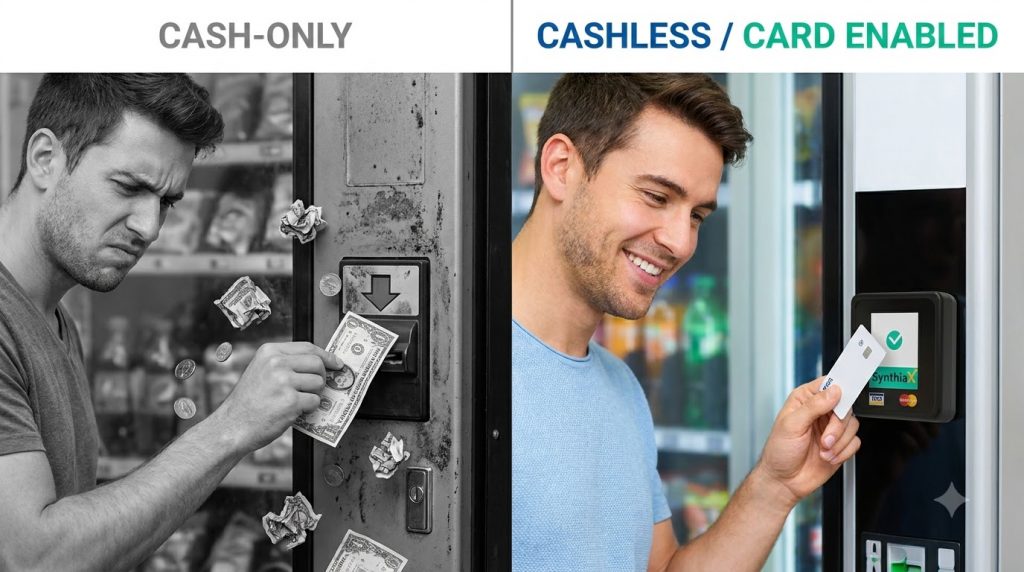
Adding the option to use a credit card on a vending machine delivers substantial advantages for both shoppers and machine operators compared to cash-only units.
+-----------------------------------------------------------------------------+
|               CASH-ONLY VENDING vs. CASHLESS CARD READERS                   |
+---------------------+---------------------------+---------------------------+
| Feature             | Cash-Only Vending Machine | Cashless Card Reader      |
+---------------------+---------------------------+---------------------------+
| Payment Flexibility | Bills and coins only      | Tap, Chip, Swipe, Phones  |
| Transaction Speed   | Slow (inserting bills)    | Instant (1 to 2 seconds)  |
| Bill Jams & Stuck $ | High risk                 | Zero physical bill jams   |
| Product Pricing     | Rounded down ($1, $2)     | Dynamic premium pricing   |
| Multi-Item Buying   | Tedious; requires coins   | Seamless single-swipe     |
| Operator Revenue    | Baseline                  | 30% to 50% revenue growth |
+---------------------+---------------------------+---------------------------+
1. Consumer Convenience and Speed
When you do not use a card reader, buying an item requires hunting for flat paper bills or unbent quarters. Bill validators regularly reject crumpled bills, spit money back out, or jam. Conversely, tapping a credit card on a vending machine takes less than three seconds. It completely removes the frustration of coin hunting, dropped change, and bill rejection.
2. Pricing and Product Diversity
Cash-only machines limit operators to round price points like $1.00, $1.50, or $2.00 to avoid coin tube depletion. When an operator enables a credit card on a vending machine, they can sell premium products, such as high-protein bars, fresh meals, electronics, cosmetics, and specialty beverages priced at irregular figures like $3.89 or $12.50.
3. Hygiene and Contactless Safety
Modern consumers prioritize cleanliness. Cash and coins pass through thousands of hands, collecting bacteria. Contactless tap-to-pay transactions enable a clean, touch-free purchasing experience.
4. Operational Insights for Business Owners
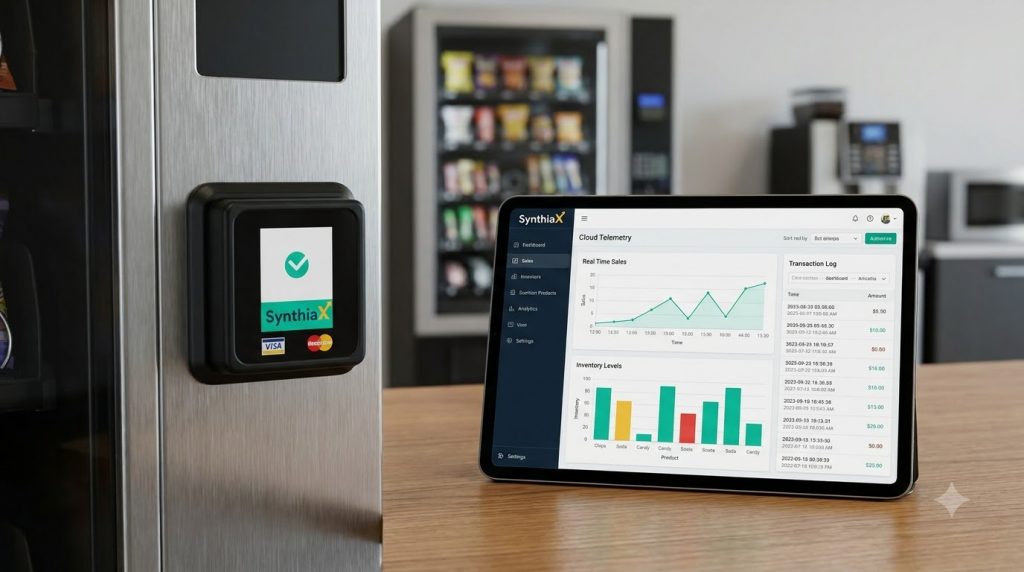
Operators who manage machines without card readers remain blind to their real-time inventory. They must visit units in person just to count coins and check stock levels. When an operator enables a credit card on a vending machine using connected ecosystems like SynthiaX, they unlock live cloud telemetry. SynthiaX gives operators remote sales reporting, automated low-stock alerts, route optimization, and instant refund dispatching. This technology drives higher profitability while eliminating dead visits.
Why Modern Automated Retail Relies on Cashless Upgrades
The shift toward cashless automated retail is permanent. Research indicates that over 70% of transactions across North American and European automated retail kiosks take place via electronic payment methods rather than physical currency.
If a business relies entirely on cash payments, it alienates the majority of foot traffic under age 45 who do not carry paper money. By installing equipment that accepts a credit card on a vending machine, location hosts experience:
- Higher impulse purchase conversions.
- Increased average transaction values (consumers routinely spend 20% to 40% more per visit when paying electronically).
- Lower risk of physical theft, lock picking, and vandalism because machines hold significantly less physical currency.
For companies seeking to capture these benefits, retrofitting existing units with turnkey hardware kits has never been easier. Leading tech developers like SynthiaX manufacture universal plug-and-play cashless modules compatible with standard MDB protocol hardware. This allows any traditional machine to start accepting mobile wallets, debit cards, and credit cards within minutes.
Frequently Asked Questions (FAQ)
1. Is it safe to use a credit card on a vending machine?
Yes, using a credit card on a vending machine is extremely safe when the machine features a certified commercial card reader. Modern readers use end-to-end encryption (PCI-DSS compliance) and tokenization. This architecture means your real account number is never stored on the local vending machine computer or exposed to the operator.
2. Why did the machine charge my credit card $5 or $10 for a $2 snack?
When you use a credit card on a vending machine, the processing terminal requests a temporary pre-authorization hold to ensure your account has sufficient funds for single or multi-item selections. Once the purchase finalizes and your bank settles the transaction, the pending hold disappears and updates to reflect the true purchase amount.
3. What should I do if the card reader charges me but the item does not drop?
If you swipe your credit card on a vending machine and the item gets stuck on the coil, modern machines with drop sensors automatically reverse the transaction immediately. If the drop sensor fails or the unit lacks optical detection, look for the customer service phone number or QR code sticker on the machine housing. Contact the operator with the machine ID number to receive a direct digital refund.
4. Can I use a credit card on a vending machine using Apple Pay or Google Pay?
Yes. If the reader on the vending unit displays the curved four-wave contactless icon, it supports NFC mobile wallets. You can hold your iPhone, Apple Watch, or Android device near the card reader face to pay without pulling out a physical card.
5. Do vending card readers charge extra transaction fees?
Some operators add a small processing surcharge (typically $0.10 to $0.25) to offset credit processing fees, while others absorb the cost and display the exact shelf price. State and regional regulations generally require operators to post clear signage if a surcharge applies when you swipe a credit card on a vending machine.
Upgrade Your Automated Retail Experience with SynthiaX
Are you an automated retail operator or property owner looking to capture more revenue and eliminate bill jams? Enabling consumers to seamlessly use a credit card on a vending machine is the fastest way to grow your daily sales.
SynthiaX delivers cutting-edge cashless payment solutions, intelligent telemetry devices, and centralized management software built for modern unattended retail. With SynthiaX, you can easily convert standard machines into connected digital kiosks that accept all major credit cards, debit cards, and contactless mobile wallets with maximum security and near-zero latency.
Don’t let lost sales walk away due to empty pockets and crumpled bills. Partner with SynthiaX today to equip your machines with industry-leading cashless card readers, automate inventory tracking, and deliver the frictionless buying experience your customers expect.