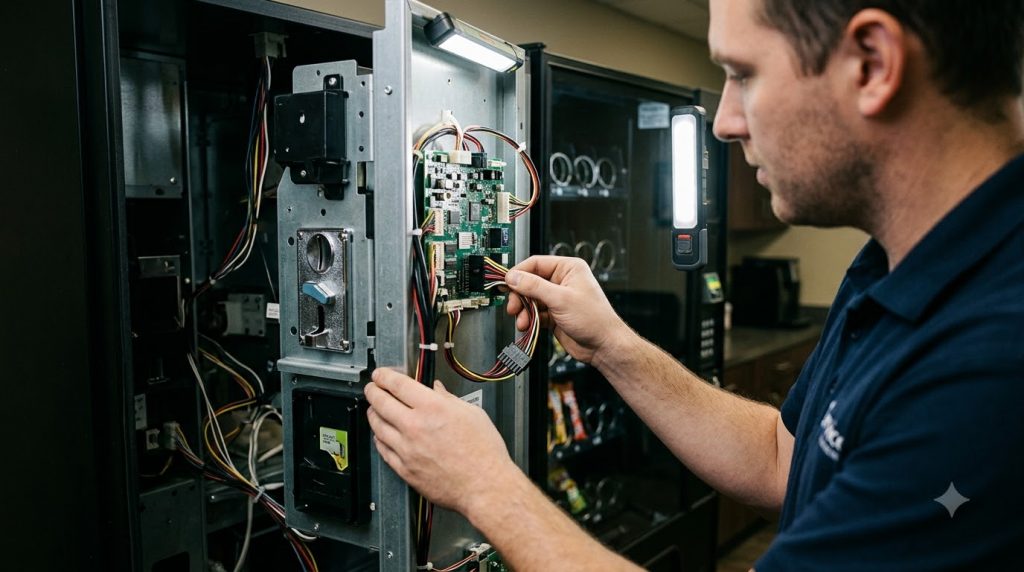

How to Accept Credit Card Payments on a Vending Machine: The Ultimate Guide
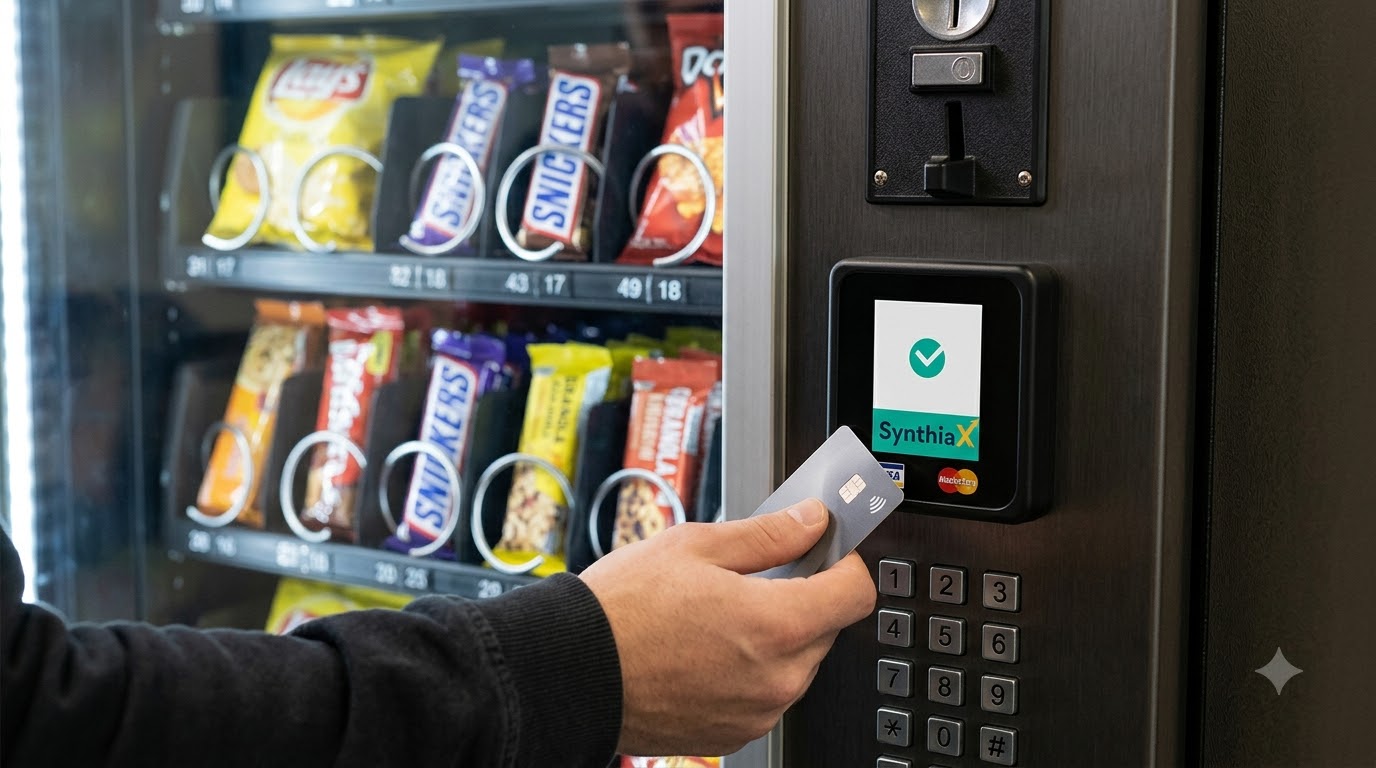
To accept credit card payments on a vending machine, you must ensure your machine supports the MDB (Multi-Drop Bus) protocol, install a cashless payment card reader on the front panel, connect the reader to a cellular telemetry unit, and activate a merchant processing account through a provider like SynthiaX. Once activated, your vending machine will process swipes, chip insertions, and contactless tap payments in real time.
Today, fewer consumers carry paper currency, and relying exclusively on coins and dollar bills limits your earning potential. Upgrading your equipment to accept cashless transactions allows you to capture impulsive buyers, increase average spend, and streamline your route management.
Below, we explore the mechanical steps, operational benefits, and top hardware options on the market so you can implement credit card processing seamlessly.
What Is Required to Accept Credit Card Payments on a Vending Machine?
Before you install any hardware, you must verify that your machine has the internal infrastructure to support modern payment systems. Most machines built after the late 1990s include standard interfaces, but older units may require minor hardware adapters.
To accept credit card payments on a vending machine, you need three core elements:
- An MDB-Compliant Controller Board: The Multi-Drop Bus standard allows the machine controller to communicate with bill validators, coin changers, and cashless payment terminals.
- A Cashless Reader and Telemeter: The physical terminal mounts on the exterior of the machine, while the telemetry device sits inside, communicating transaction data over a 4G/5G cellular network.
- A Payment Gateway and Processing Plan: A backend platform verifies customer funds, routes transactions through credit card networks, and deposits the revenue into your business bank account.
When you prepare to accept credit card payments on a vending machine, evaluating these prerequisites prevents installation delays and avoids unnecessary retrofitting expenses.
How Does a Credit Card Reader Work on a Vending Machine?
Understanding the technical sequence helps you troubleshoot issues and optimize machine uptime. The hardware functions as a secure gateway between the customer, your vending controller, and the banking network.
+------------------+       +-------------------+       +--------------------+
|  Customer Taps   | ----> |  Cashless Reader  | ----> | Cellular Telemetry |
|   Card / Phone   |       |  (MDB Interface)  |       |   (Sends to Web)   |
+------------------+       +-------------------+       +--------------------+
                                                                  |
                                                                  v
+------------------+       +-------------------+       +--------------------+
| Product Dispensed| <---- | Machine Releases  | <---- |  Gateway Approves  |
|   to Customer    |       |   Selected Item   |       |    Transaction     |
+------------------+       +-------------------+       +--------------------+
1. Payment Authorization
When a customer approaches your machine, the reader displays an idle prompt. The customer selects a payment method by tapping a contactless card, swiping a magnetic stripe, inserting an EMV chip card, or using a mobile wallet such as Apple Pay or Google Pay. The reader captures the card data securely and pre-authorizes a set dollar amount.
2. Cellular Telemetry and Data Transmission
The external reader communicates through a wiring harness to an internal telemetry box. This unit contains a SIM card configured on an IoT cellular network. The telemeter encrypts the payment details and transmits them to your payment processor. Because the system relies on cellular data, you do not need local Wi-Fi to accept credit card payments on a vending machine.
3. Vending Cycle Execution
Once the banking network approves the authorization, the processor sends a signal back to the telemetry device. The telemeter informs the vending machine controller board via the MDB harness that credit is available. The customer selects an item, the machine activates the motor to drop the product, and the controller reports a successful vend back to the reader.
4. Settlement and Deposit
If the product drops successfully, the payment gateway captures the exact purchase amount and cancels any temporary pre-authorization hold. The payment processor bundles your daily transactions, deducts processing fees, and deposits the remaining funds into your linked bank account.
Step-by-Step: How to Install a Reader to Accept Credit Card Payments on a Vending Machine
Setting up your equipment requires only basic hand tools and about thirty minutes per machine. Follow these actionable steps to accept credit card payments on a vending machine safely:
Step 1: Power Down the Machine
Always switch off the main power switch and unplug your vending machine from the electrical outlet before opening the cabinet. Working on internal electronics while power runs through the MDB harness can short-circuit the main control board.
Step 2: Remove the Blanking Plate
Examine the front door of your vending machine. Most modern units come equipped with a standard cutout for bill validators and card readers, often covered by a plastic or metal knockout plate. Use a socket set or screwdriver to remove the mounting nuts and take off the blanking plate.
Step 3: Mount the External Reader
Thread the data and power cables from the back of the card reader through the front opening. Position the reader flush against the door surface, align the mounting studs, and tighten the lock nuts from the inside of the cabinet. Make sure the seal rests snugly against the machine frame to keep moisture out.
Step 4: Install the Telemetry Box and Antenna
Attach the telemetry unit to an interior wall using the provided bracket or magnetic mount. Mount the external cellular antenna on the top or high side of the cabinet exterior, keeping it away from heavy metal obstructions to maintain a strong cellular signal.
Step 5: Connect the MDB Harness
Locate the existing MDB wiring harness inside the machine, which links the main controller board to the coin mechanism and bill validator. Plug the card reader harness directly into the MDB daisy chain. The connectors use keyed plugs, so they only insert in the correct orientation.
Step 6: Power On and Perform a Test Vend
Plug the machine back in and flip the power switch. The reader will initiate its boot sequence, search for a cellular network, and update its firmware. Once the display reads ready, tap your own card to complete a test vend. Check your online telemetry portal to verify that the test purchase registered correctly.
Why Do You Need a Credit Card Reader on Your Vending Machine?
Upgrading your units to accept credit card payments on a vending machine is no longer an optional luxury. It is a fundamental operational requirement for automated retail businesses.
Dramatic Sales Growth
Operators who install card readers typically see total sales jump between 25% and 40%. Cash transactions limit consumers to whatever pocket change they carry. When you allow customers to accept credit card payments on a vending machine, you remove this spending barrier entirely.
Higher Average Transaction Values
Coins and small bills encourage customers to buy single, low-cost items. By contrast, card readers open the door to multi-vend sales, premium beverages, fresh food, and higher-margin electronics. A customer will rarely feed eight one-dollar bills into a validator for two energy drinks, but they will happily tap their credit card or smartphone to complete that transaction.
Reduced Theft and Machine Vandalism
Coin boxes and bill stackers make unattended machines obvious targets for break-ins. Storing less cash inside your cabinet reduces vandalism risks and shields you from internal shrinkage caused by coin counting discrepancies.
Remote Inventory Management
Modern readers do far more than collect funds. They act as telemetry hubs that relay real-time inventory counts, temperature alerts, and motor error notifications to your phone or desktop. This visibility cuts down on unnecessary service trips and ensures your bestsellers stay stocked.
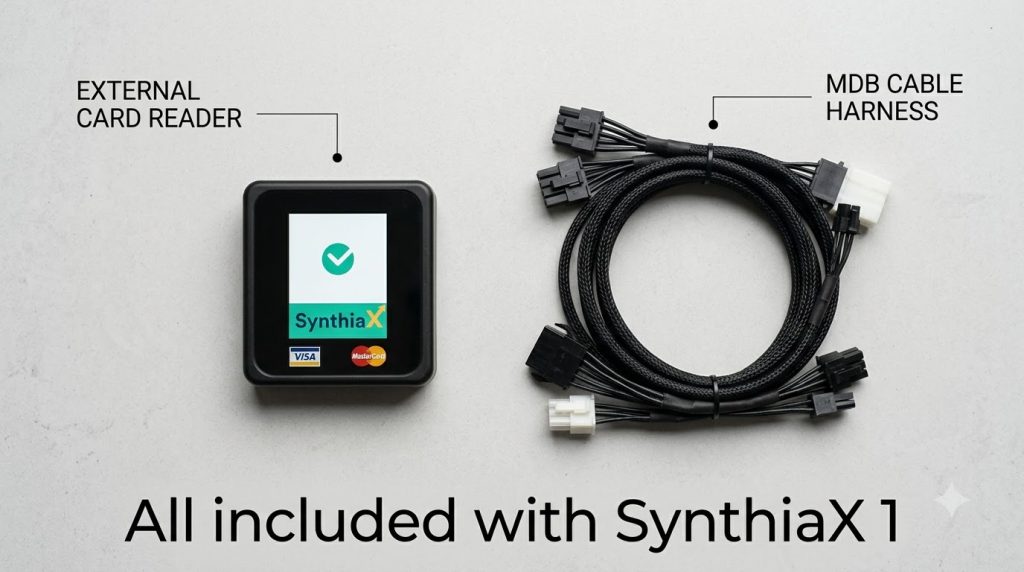
Hardware Comparison: SynthiaX vs. Nayax vs. Cantaloupe
Choosing the right partner to accept credit card payments on a vending machine determines your long-term profit margins and operational reliability. Below is an objective comparison of the top three platforms available today.
| Feature / Metric | Nayax (VPOS Touch) | SynthiaX (SynthiaX-1) | Cantaloupe (Engage) |
| Hardware Cost | £300 – £350 | £120 – £140 | £300 – £360 |
| Monthly SaaS Fee | £8 – £12+/mo per device | Flat £7 no hidden charges | £8 – £10+/mo per device |
| Transaction Fees | 2.5% to 5.95% per sale | Flat 1.5% + No fees for first 3 months | 5.95% per transaction + separate monthly service fee per device |
| Connectivity | 4G Multi-Carrier | 4G Multi-Carrier | 4G LTE |
| Transaction Speed | 2 to 4 seconds | <2 seconds | 2 to 5 seconds |
| Telemetry & DEX | Yes | Yes | Yes |
| Payout Frequency | Monthly or Bi-weekly | Custom settlements (Daily, weekly, monthly or as per need) | Weekly to Monthly |
| Remote Vend Tool | Basic | Advanced Mobile App | Standard |
| Onboarding fees | Ranges from £40 – £95 | No onboarding fees | 0 upfront, charges £30 transfer fees per device |
| Customer Support | Ticket-based | Fast, direct, operator-first support | Regional business hours |
| Contract Terms | Standard | Flexible / No Lock-in | Often Multi-Year |
Nayax VPOS Touch
Nayax stands as a veteran brand in the unattended retail space. The VPOS Touch supports chip, swipe, tap, and QR code payments across international currencies. Operators gain access to Nayax Core (formerly Management Suite), which delivers detailed sales tracking, machine alerts, and remote price adjustments. However, many small operators find the Nayax fee schedule complex, with separate charges for cellular service, premium portal features, and variable transaction rates that reduce small-ticket profit margins.
Cantaloupe ePort Series
Cantaloupe (formerly USA Technologies) dominates large vending routes across North America. Their ePort systems integrate directly with Cantaloupe Seed software, providing enterprise operators with route scheduling, pre-kitting data, and automated driver settlements. While Cantaloupe delivers enterprise stability, their hardware can feel bulky, and their onboarding process often requires extensive merchant underwriting. For operators who want simple monthly billing and modern hardware, legacy systems like Cantaloupe sometimes present unnecessary administrative friction.
SynthiaX: The Modern Solution for Cashless Vending
If you want the cleanest, most efficient way to accept credit card payments on a vending machine, SynthiaX is the premier choice. SynthiaX engineered its platform from the ground up to solve the frustrations operators encounter with legacy providers.
Rather than burdening route owners with hidden monthly costs and confusing processing tiers, SynthiaX provides a transparent, all-in-one system designed to maximize machine profitability. The hardware mounts quickly, syncs instantly with MDB controllers, and connects to high-speed cellular networks right out of the box.
When you choose SynthiaX to accept credit card payments on a vending machine, you unlock:
- Predictable, industry-low transaction rates that keep your micro-purchase profits intact.
- Sleek, high-durability interactive displays that attract modern consumers.
- An intuitive telemetry dashboard that displays real-time inventory, sales performance, and machine diagnostics on any device.
By blending user-friendly hardware with fair processing structures, SynthiaX gives both independent operators and large fleet managers a scalable way to upgrade their unattended retail assets.
Best Practices to Maximize Profits from Cashless Vending
Installing your reader is only the first step. To generate the highest return when you accept credit card payments on a vending machine, apply these proven business practices:
1. Enable Multi-Vend Functionality
Configure your reader and machine control board to allow multi-vend transactions. This feature lets a customer tap their payment method once and purchase multiple products in a single checkout session. Combining purchases saves you money on the fixed per-transaction fee charged by payment processors.
2. Implement Strategic Price Offsets
Card processing incurs fees, typically around 5% to 6% for micro-transactions under five dollars. You can handle this cost by slightly increasing machine prices across the board or configuring a transparent cashless fee (where state and local regulations permit). Because customers prioritize convenience, a modest price difference rarely dampens sales volume.
3. Keep Cellular Antennas Clear
Weak cellular reception leads to slow card authorizations, frustrating customers and causing transaction timeouts. Always position your telemeter antenna on top of the vending machine cabinet, away from heavy concrete pillars, elevator shafts, or thick metal shielding.
4. Monitor Real-Time Telemetry Reports
Do not wait for a weekly site visit to learn that a motor jammed or a card reader lost connection. Use your backend portal to configure automated alerts for inventory shortages and hardware communication failures. Fast response times ensure your machine continues to generate revenue around the clock.
Frequently Asked Questions (FAQ)
Can I accept credit card payments on a vending machine that is old?
Yes, you can accept credit card payments on a vending machine even if it is an older model, provided the machine supports the MDB communication protocol. If your machine runs on an older non-MDB standard (such as Micromech or pulse interfaces), you can buy an aftermarket MDB conversion kit to bridge the internal electronics to a modern card reader.
How much does it cost to accept credit card payments on a vending machine?
Hardware typically costs between $250 and $450 per unit. Operating costs include a monthly cellular gateway charge (usually $7 to $10 per machine) plus a credit card processing fee that averages 5% to 6% on micro-transactions. With modern solutions like SynthiaX, these expenses remain transparent, predictable, and simple to manage.
Do I need a Wi-Fi connection to process card payments?
No. Cashless readers use dedicated internal IoT cellular modems that connect to nationwide 4G and 5G networks. Your reader maintains an independent connection, meaning you do not need local Wi-Fi passwords or Ethernet cables to accept credit card payments on a vending machine.
How do cashless payments affect vending machine sales?
Adding a card reader typically increases total machine gross sales by 25% to 40%. Cashless terminals attract impulse shoppers, make it easy to buy multiple snacks or drinks at once, and unlock higher-priced inventory options that cash-only machines cannot support.
What payment types do modern vending readers support?
Modern cashless terminals accept magnetic stripe swipes, EMV chip insertions, contactless tap cards (Visa, Mastercard, Discover, American Express), and digital mobile wallets such as Apple Pay, Google Pay, and Samsung Pay.
Modernize Your Vending Business Today
Running a cash-only vending business leaves money on the table every single day. Modern shoppers demand fast, secure, contactless options at the point of sale. When you upgrade your route to accept credit card payments on a vending machine, you build a business that captures higher margins, prevents shrinkage, and operates with full inventory visibility.
If you are ready to modernize your equipment, reduce processing overhead, and boost your daily sales, choose SynthiaX. As the all-in-one payment and telemetry platform built specifically for unattended retail, SynthiaX delivers the hardware reliability, low transaction fees, and cloud analytics you need to dominate your market.
Upgrade your route today: partner with SynthiaX to accept credit card payments on a vending machine with zero hassle.