

How to Use a Vending Machine with a Card: The Complete Guide for Consumers and Operators
Have you ever stood in front of a snack dispenser, stomach rumbling, only to realize you do not carry loose change? Cashless payment technology has solved that problem. Operating a modern automated dispenser no longer requires crisp dollar bills or pocket change.
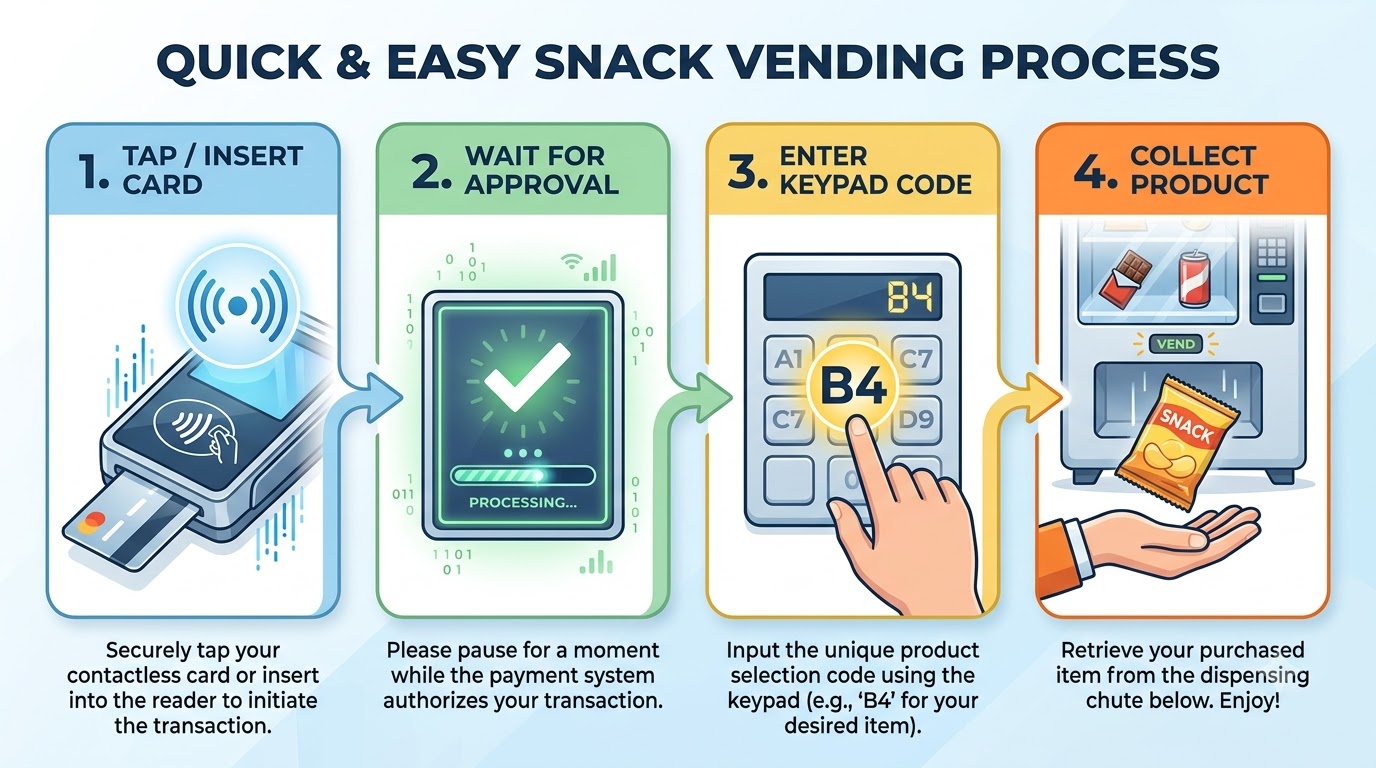
To use a vending machine with a card, follow these quick steps:
- Check the card reader screen for instructions.
- Tap, insert, or swipe your credit card, debit card, or mobile wallet (Apple Pay/Google Pay).
- Wait for the reader to display “Approved” or “Select Item.”
- Type the item code or push the selection button.
- Retrieve your item from the collection bin and take your card.
Whether you are a thirsty consumer grabbing a beverage on the go or a business owner looking to modernize your retail fleet, knowing how to navigate and manage a vending machine with a card is essential. Below, we break down why card readers have revolutionized unattended retail, provide an in-depth step-by-step tutorial on using these machines, outline the technical requirements to deploy one, and address common questions.
Why You Should Add a Card Reader to Your Vending Machine
The unattended retail landscape has undergone a massive transformation. Cash is rapidly disappearing from everyday commerce, and consumers expect fast, frictionless payment experiences. If you manage automated kiosks or retail units, running a vending machine with a card is no longer just an optional perk, it is an absolute business necessity.
1. Massive Increase in Average Transaction Value
When customers pay with physical currency, their spending is constrained by the exact coins and bills inside their wallets. Conversely, a vending machine with a card removes friction and unlocks impulse purchases. Studies show that cashless vending terminals regularly generate 30% to 50% higher revenue compared to cash-only units. Customers are far more likely to add a second beverage or a premium snack when they can simply tap a card.
2. Elimination of Mechanical Coin Jams and Cash Theft
Mechanical bill validators and coin mechanisms are notorious points of failure. Jammed currency leads to machine downtime, lost sales, and frustrated shoppers. Cash-heavy units also attract vandalism and theft. Operating a vending machine with a card reduces physical cash collection cycles, keeps machines operational longer, and protects your bottom line.
3. Real-Time Telemetry and Cloud Inventory Management
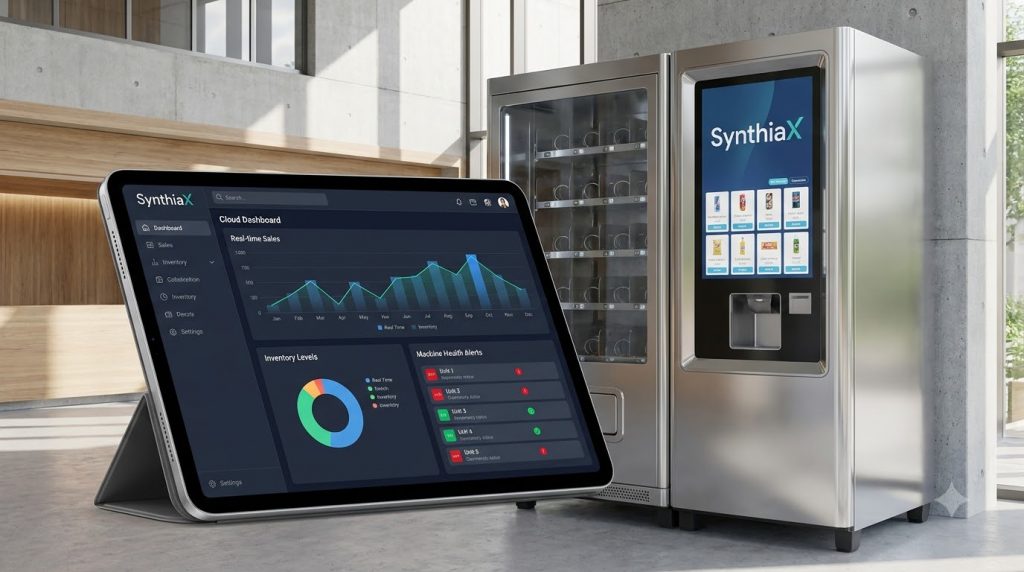
Modern card payment readers do more than collect money—they act as smart communication hubs. Advanced platforms like SynthiaX bridge physical machines with cloud-based analytics. By using SynthiaX, operators gain real-time telemetry, automated stock alerts, dynamic pricing controls, and predictive maintenance schedules. Instead of manually inspecting every location, you can monitor sales and inventory metrics across your entire fleet from a single web dashboard.
4. Meeting Consumer Expectations
Today’s consumers carry smartphones, smartwatches, and contactless payment cards. When someone encounters an automated kiosk that only accepts bills, they frequently walk away without buying. Deploying a vending machine with a card ensures you capture every customer ready to make a purchase.
How to Use a Vending Machine with a Card: Step-by-Step Guide
Using a modern cashless retail machine is straightforward, but the order of operations can occasionally differ depending on the reader model installed. Follow this detailed breakdown to complete a transaction smoothly every time.
Step 1: Inspect the Card Reader and Display Screen
Before interacting with the machine, glance at the digital interface on the card reader. A functional vending machine with a card will display a prompt such as “Ready,” “Swipe/Tap Card,” or list a standard pre-authorization amount (e.g., “$5.00”).
Tip: Verify that the reader does not display an “Out of Order” or “Offline” message before presenting your card.
Step 2: Choose Your Payment Method (Tap, Insert, or Swipe)
Modern payment terminals support multiple methods to interact with a vending machine with a card:
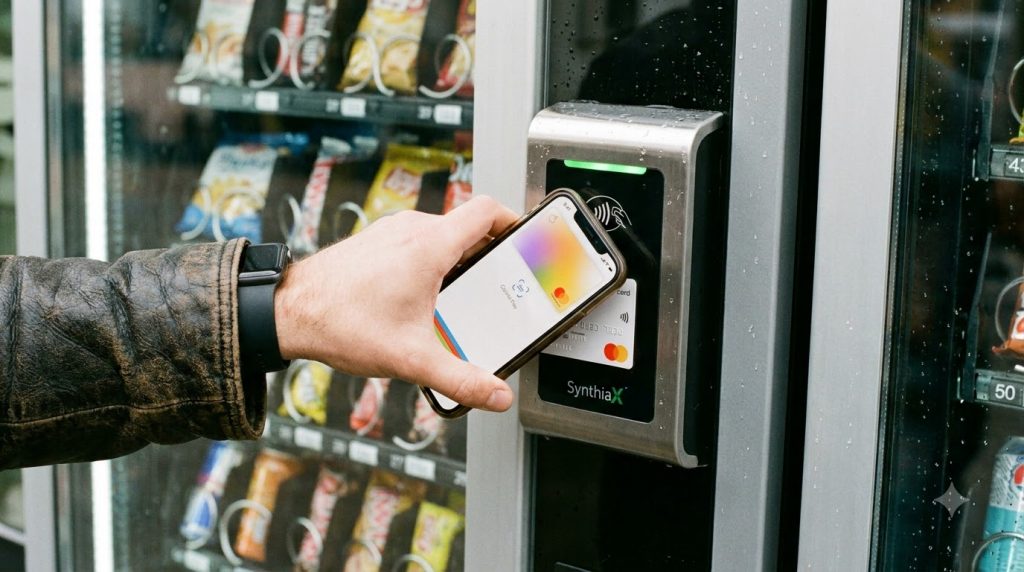
- Contactless / Tap (NFC): Hold your contactless debit/credit card, smartphone (Apple Pay, Google Wallet, Samsung Pay), or wearable device over the illuminated RFID/NFC symbol on the reader.
- EMV Chip Insert: Insert your payment card chip-first into the bottom slot of the terminal. Leave the card inside until the screen instructs you to remove it.
- Magnetic Stripe Swipe: If the terminal does not support tap or chip, swipe your card through the side magnetic reader track with the stripe facing inward.
Step 3: Wait for Pre-Authorization
Once you swipe, tap, or insert your payment method, the vending machine with a card connects to the processing network. Within two to three seconds, the reader screen will update to show “Approved,” “Credit Granted,” or “Select Item.”
During this step, the machine places a temporary authorization hold on your account to verify available funds.
Step 4: Make Your Product Selection
Now that your credit is active, look at the keypad on the front of the machine:
- Locate the alphanumeric code under the snack or drink you want (for example, B4 or 102).
- Type the exact code into the machine’s keypad.
- The internal motor or robotic arm will actuate and dispense the selected product into the drop box below.
Step 5: Multi-Vend Options (If Applicable)
Some modern setups allow multi-vending. If the vending machine with a card is equipped with a modern multi-vend reader, you can select a second or third item before concluding your session. Once you are finished, press the “Cancel” or “Complete” button on the terminal to close out your transaction and print or display your final balance.
Step 6: Retrieve Your Item and Check Your Card
Reach into the delivery bin at the bottom of the unit to collect your item. If you inserted a physical chip card, remove it from the reader slot immediately. The terminal will reset to its default screen, ready for the next customer.
Technical Requirements for a Vending Machine with a Card
For business owners and vending operators, converting traditional equipment into a connected vending machine with a card involves specific hardware and software components. Understanding these requirements guarantees smooth deployment and reliable uptime.
1. MDB (Multi-Drop Bus) Internal Controller
The vending machine controller (VMC) must support the MDB standard protocol (MDB level 2 or higher). The MDB protocol allows the machine’s internal computer to communicate with external peripherals like bill acceptors, coin changers, and cashless payment readers. Most machines built after the late 1990s are MDB-compatible out of the box.
2. Secure Cellular Modem & Reliable Network Connectivity
A vending machine with a card must communicate with banking networks to authorize payments in real time. Because machines are often located in building lobbies, break rooms, or basements, a reliable cellular modem (utilizing 4G LTE or 5G IoT bands) is required. External high-gain antennas ensure steady data connectivity even inside dense concrete structures.
3. Integrated Telemetry and Management Software
Hardware is only half the equation. To maximize profit, operators need intelligent telemetry tools. SynthiaX provides an end-to-end telemetry and fleet management solution designed specifically for modern automated operations. By integrating SynthiaX into your vending machine with a card, you gain:
- Instant notifications for motor errors or drop failures.
- Live sales performance dashboards across multiple locations.
- Remote price adjustments without dispatching a service technician.
- Route optimization tools to reduce fuel and restocking labor costs.
4. PCI-DSS Security Compliance and Encryption
Security is paramount when handling payment data. Every vending machine with a card must adhere to the Payment Card Industry Data Security Standard (PCI-DSS). Readers must feature point-to-point encryption (P2PE) to ensure customer card numbers are encrypted directly at the terminal, keeping sensitive financial data safe from interceptors.
5. Merchant Processing Gateway
To receive deposits from card transactions, operators must configure an account with an authorized payment processor. The merchant processor handles the authorization, clearing, and settlement stages, transferring customer payments directly into your business bank account.
Troubleshooting Common Issues
Even with dependable hardware, occasional issues can occur. Here is how to handle the most common snags when interacting with a vending machine with a card:
| Issue | Root Cause | Solution |
| Card Declined / Read Error | Dirty chip, weak tap signal, or insufficient account balance. | Clean the card chip, hold your phone closer to the NFC logo, or swipe via magnetic stripe. |
| Item Stuck in Coil | Jammed spiral or mechanical dispenser error. | Modern optical drop sensors automatically refund the card if no item falls through the sensor beam. |
| Reader Shows “Authorizing…” Indefinitely | Cellular signal drop or gateway latency. | Wait 15 seconds. If the session times out, cancel the transaction and retry once the connection stabilizes. |
| Pre-Auth Amount High | Temporary bank hold placed to verify funds. | The pending charge will automatically adjust to the exact purchase price within 24–48 hours. |
Frequently Asked Questions (FAQ)
What happens if a vending machine with a card charges me but does not drop the product?
Most modern machines feature infrared drop-sensor beams (often called guaranteed delivery systems). If an item gets stuck on the coil and fails to break the sensor beam at the bottom, the vending machine with a card cancels the sale and voids the charge immediately. If your machine lacks drop sensors, contact the operator using the phone number or QR code listed on the machine’s front panel to request a remote refund.
Can I use contactless payment (Apple Pay / Google Wallet) on a vending machine with a card?
Yes. Nearly all contemporary card readers mounted on a vending machine with a card feature near-field communication (NFC) capabilities. You can hold your iPhone, Android device, or Apple Watch next to the reader to complete a purchase just as you would with a physical debit or credit card.
Why does the pending charge on my bank statement show more than the price of the snack?
When you initiate a session at a vending machine with a card, the system places a temporary pre-authorization hold (often $5.00 to $10.00) to confirm your account has sufficient funds for multi-vend selections. Once the transaction completes, the reader sends the final settled amount to your bank, and the temporary hold adjusts to the exact purchase price within 1 to 2 business days.
How secure is using a vending machine with a card?
Paying at a vending machine with a card is just as secure as paying at a traditional grocery store terminal. The readers use end-to-end encryption (E2EE) and tokenization under strict PCI-DSS guidelines. Your sensitive credit card number is never stored on the local vending machine.
Can older, cash-only machines be converted into a vending machine with a card?
Yes. As long as the older vending unit uses an MDB-compatible control board, an operator can install a cashless retrofit kit. These plug-and-play kits include a card reader, a cellular telemetry unit, and the necessary wiring harnesses to turn any classic unit into a modern vending machine with a card.
Upgrade Your Automated Retail Operations Today
Cashless transactions have transformed unattended retail from a pocket-change novelty into a high-margin, automated shopping experience. For consumers, a vending machine with a card delivers fast, reliable access to refreshments without the hassle of loose coins. For operators, it unlocks higher sales volumes, lower operational overhead, and effortless inventory tracking.
If you are ready to modernize your vending route, reduce machine downtime, and boost revenue across every location, explore the smart retail solutions offered by SynthiaX.
Upgrade your machines today and deliver the cashless convenience your customers demand!